This nulea m504 review looks at a wired vertical mouse designed for right-handed computer users who want a more upright grip and simple plug-in setup.
Its adjustable DPI and side navigation buttons add flexibility, while the vertical shape may take a few days to feel natural.
Nulea M504 Review Summary
The quick verdict
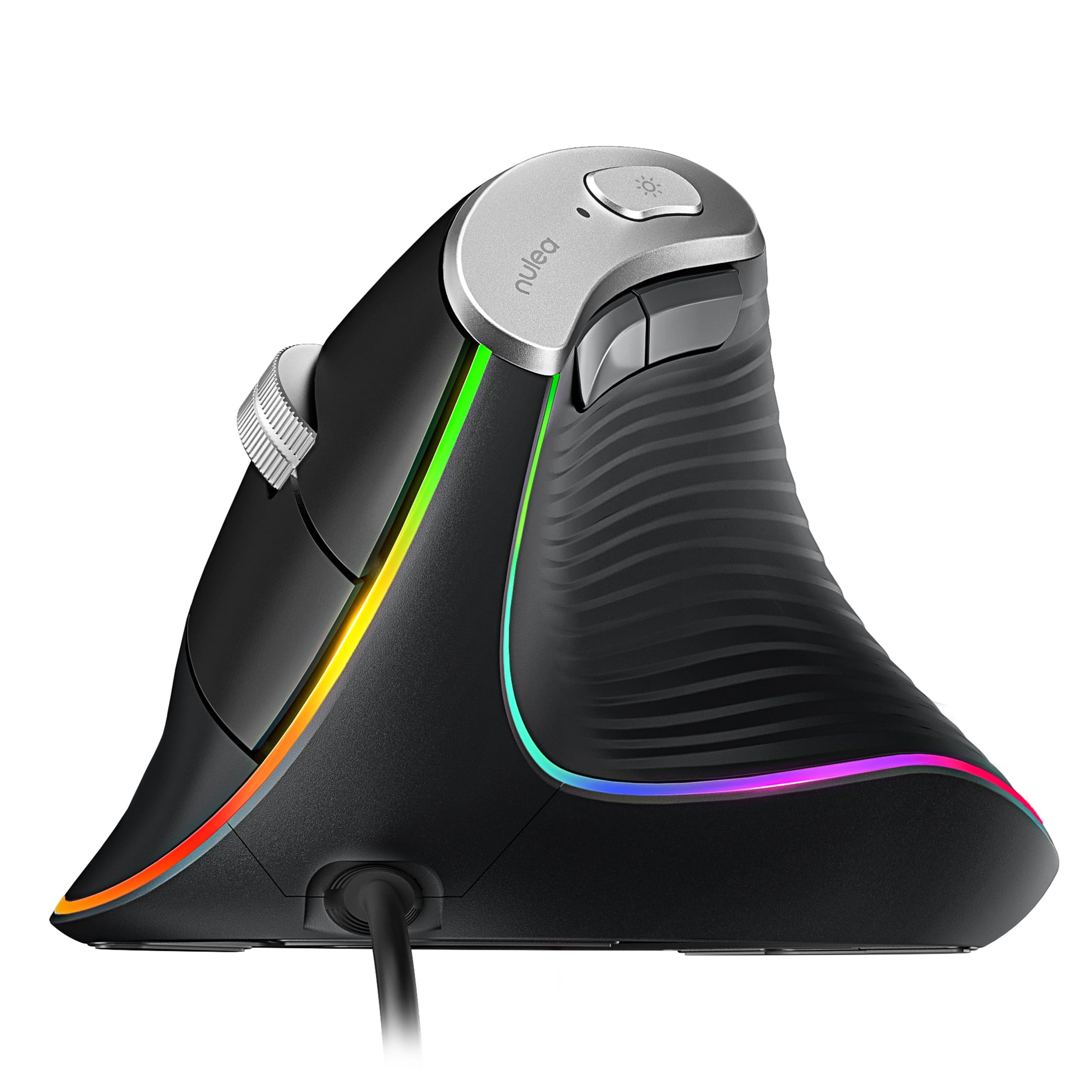
1,000+ ratings
Read Amazon ReviewsNulea M504
A right-handed vertical mouse for desk users who want adjustable cursor speed, a wired connection, and RGB lighting.
- 57-degree vertical design intended to support a more natural right-hand grip; the product description notes that users may need a few days to adjust.
- Optical tracking with four selectable sensitivity levels: 800, 1200, 2400, and 3200 DPI.
- Wired connection through a 1.8-meter cable with a USB 2.0 interface and plug-and-play setup.
- Six buttons, including Forward and Back navigation controls. The buttons are non-programmable, and Forward/Back are not compatible with Mac OS.

Pros
- Vertical shape provides a distinct alternative to the conventional flat mouse grip.
- Four DPI settings make it possible to choose between slower cursor movement and faster navigation.
Consider before buying
- The vertical grip can take a few days to get used to, so it may not feel immediately familiar.
- The right-hand-only orientation does not fit left-handed use.
Read the full review summary
The Nulea M504 combines a 57-degree vertical design with four selectable DPI levels, six buttons, and RGB lighting.
Its 1.8-meter USB cable keeps the connection straightforward, and the optical sensor offers cursor-speed choices for different tasks, from browsing to drawing.
It may suit someone who wants to try a vertical mouse at a familiar desk without adding wireless pairing or software setup.
The tradeoffs are a right-handed shape, non-programmable buttons, and Forward/Back buttons that do not work with Mac OS; buyers should also allow time to adapt to the grip.
The buying factors
Nulea M504 Scorecard
Editorial scores reflect listed features and buyer fit; they are not laboratory measurements or customer ratings.
Grip design
The 57-degree vertical form is purpose-built around a more upright right-hand grip, though adaptation time is part of the transition.
Cursor adjustment
Four selectable DPI steps from 800 to 3200 support different cursor-speed preferences.
Setup simplicity
A wired USB 2.0 connection and plug-and-play setup keep installation uncomplicated.
Navigation controls
Six buttons include Forward and Back controls, but they are not compatible with Mac OS and none are programmable.
Desk personalization
Eleven RGB lighting modes add visual choice without changing the core pointing functions.
Portability
The product is described as lightweight and portable, while the fixed 1.8-meter cable is something to account for when packing or arranging a desk.
Key Features and Specifications of Nulea M504
- 57-degree vertical design intended to support a more natural right-hand grip; the product description notes that users may need a few days to adjust.
- Optical tracking with four selectable sensitivity levels: 800, 1200, 2400, and 3200 DPI.
- Wired connection through a 1.8-meter cable with a USB 2.0 interface and plug-and-play setup.
- Six buttons, including Forward and Back navigation controls. The buttons are non-programmable, and Forward/Back are not compatible with Mac OS.
- Eleven RGB backlight modes illuminate the mouse outline, with adjustable underglow.
- Right-hand orientation, plastic enclosure, matte finish, and a metal non-slip scroll wheel.
Pros and Cons of Nulea M504
Pros
- Vertical shape provides a distinct alternative to the conventional flat mouse grip.
- Four DPI settings make it possible to choose between slower cursor movement and faster navigation.
- Wired USB setup avoids the need for wireless pairing or a separate mouse battery.
- Forward and Back buttons can make supported browsing tasks more direct.
- RGB lighting offers several appearance options, and the scroll wheel has a metal non-slip design.
Consider before buying
- The vertical grip can take a few days to get used to, so it may not feel immediately familiar.
- The right-hand-only orientation does not fit left-handed use.
- Forward and Back buttons are not compatible with Mac OS, and the buttons cannot be programmed.
- The 1.8-meter cable suits a standard wired setup but may be less convenient if you want a wireless desk or untethered travel use.
Who Should Buy Nulea M504?
Good fit
Consider the Nulea M504 if you want to try a vertical mouse for regular computer work and prefer a wired device with a direct USB setup.
The four DPI choices give you practical cursor-speed options, and the Forward/Back buttons can be useful if your operating system supports them.
It is a more appealing fit if you are comfortable with a right-handed design and can give the grip time to become familiar.
The selectable lighting modes and non-slip scroll wheel add useful touches, though the central reason to choose it is the vertical shape rather than customization.
Who should skip it
Choose another style if you need a mouse that works equally well for left- and right-handed users, or if wireless movement is essential to your setup.
Mac users who rely on Forward and Back buttons should account for their stated incompatibility. If programmable controls are central to your workflow, this model's fixed button functions may not fit.
Nulea M504 Review: What the Vertical Design Means at Your Desk
A grip that changes the feel of pointing
The M504's 57-degree angle is its defining feature.
It changes how the hand approaches the mouse compared with a conventional flat design, so buyers should expect an adjustment period rather than assume the new position will feel effortless from the first session.
The right-handed shape makes the intended fit clear.
Four steps for cursor speed
The selectable 800, 1200, 2400, and 3200 DPI levels let you change cursor responsiveness for different preferences or tasks.
Lower settings can be useful when you want more deliberate movement, while higher settings offer quicker pointer travel; the right choice depends on the display, work, and personal control preference.
A direct wired setup
The 1.8-meter cable and USB 2.0 interface make the M504 a straightforward option for a computer with an accessible USB connection. A wired design also means there is no wireless pairing step.
Before buying, check that the cable can reach comfortably from your computer to your usual mouse position.
Buttons and lighting in daily use
Six buttons include Forward and Back navigation, but their functions are fixed. That keeps operation simple for supported systems, while limiting customization; Mac users should note that the two navigation buttons are not compatible with Mac OS.
The eleven RGB modes and adjustable underglow change the mouse's appearance, while the metal non-slip scroll wheel provides a distinct tactile design detail.
Alternatives to Nulea M504
Computer Mice alternative
1,000+ ratings
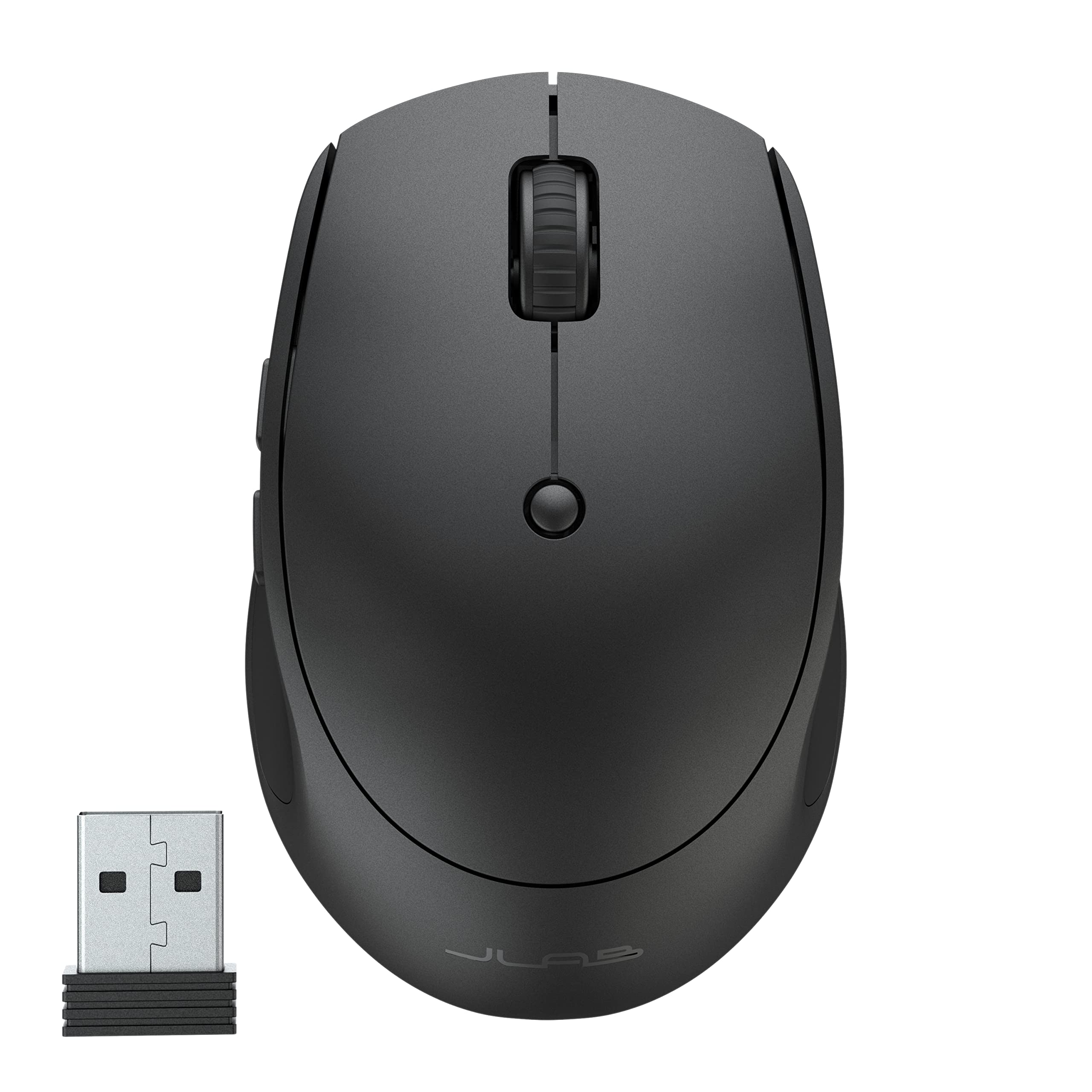
Read Amazon ReviewsJLab GO Charge Wireless Mouse
Consider the JLab if you prioritize wireless use, switching among several devices, or silent clicks in a compact mouse. Choose the Nulea if a vertical right-hand grip and wired connection better match your desk routine.
- The JLab GO Charge supports Bluetooth 5 or a USB wireless dongle, can connect to three devices for switching, and has adjustable DPI tracking.
- It is rechargeable and described as compact, with silent-click buttons.
- The Nulea M504 is a right-handed wired vertical mouse with four DPI choices and six non-programmable buttons; it emphasizes a different grip and a direct USB connection.
Battery-focused alternative
2,000+ ratings
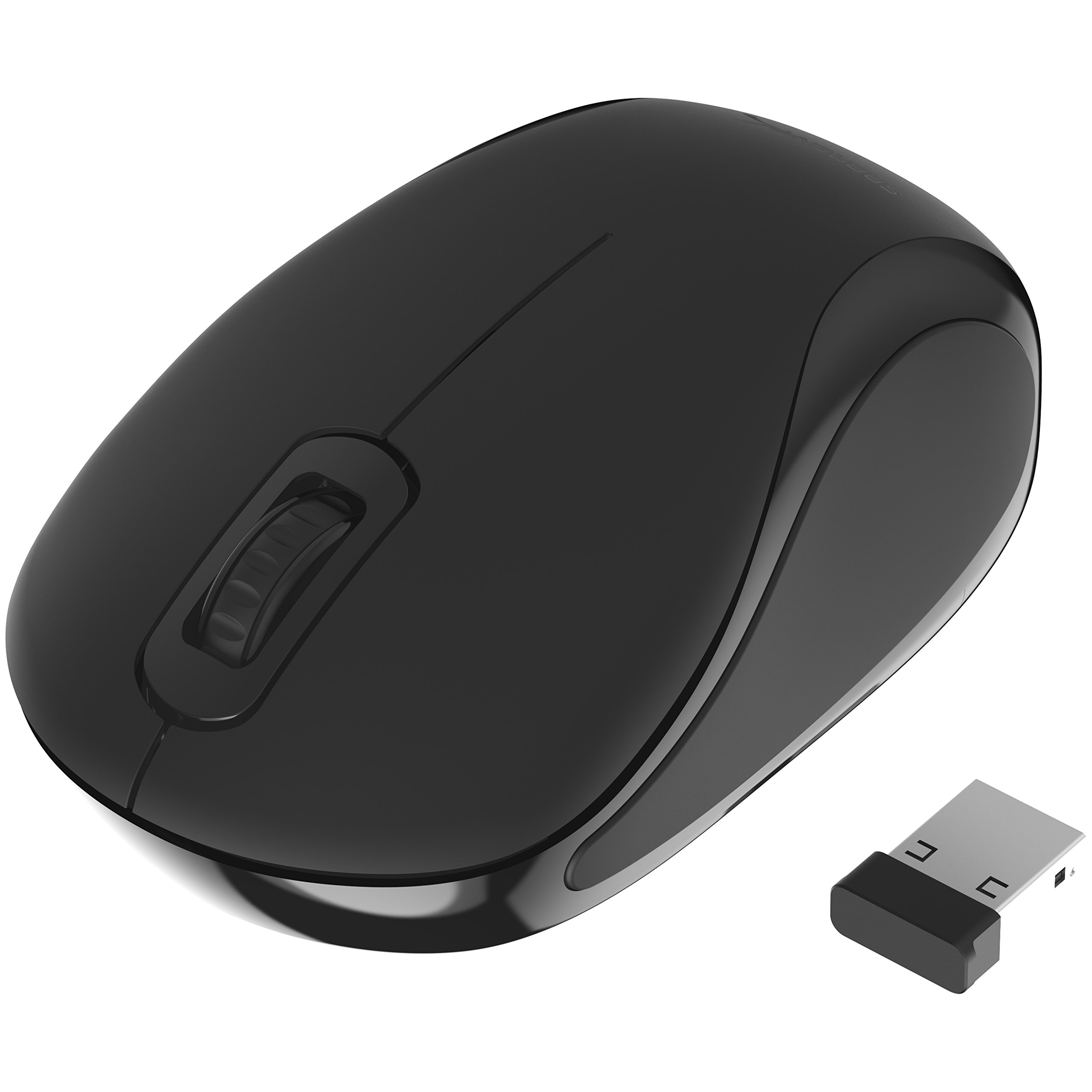
Read Amazon ReviewsSABRENT Mini Travel Wireless Mouse
The SABRENT is a better fit if you want a small wireless travel mouse that can serve either hand.
The Nulea is more relevant for a right-handed user seeking a vertical design and multiple cursor-speed settings for a fixed workstation.
- The SABRENT is a compact, ambidextrous wireless mouse with a 2.4 GHz nano receiver, three buttons, and 1200 DPI optical tracking. It uses one AAA battery.
- The Nulea M504 uses a vertical right-handed shape, a wired USB connection, and four selectable DPI levels up to 3200.
Is Nulea M504 Worth It?
The Nulea M504 is worth considering if you want a wired vertical mouse with adjustable cursor speed and a right-handed grip.
Its plug-and-play setup and Forward/Back controls support everyday use, while the lighting modes add a bit of personalization.
Buy it if the vertical form is your priority and you can accommodate its adjustment period, fixed buttons, and cable.
Check the Mac limitation if you depend on side navigation controls; otherwise, the M504 offers a clear, uncomplicated way to try this mouse style.
Your review at a glance
1,000+ ratings
Read Amazon ReviewsNulea M504
A right-handed vertical mouse for desk users who want adjustable cursor speed, a wired connection, and RGB lighting.
- 57-degree vertical design intended to support a more natural right-hand grip; the product description notes that users may need a few days to adjust.
- Optical tracking with four selectable sensitivity levels: 800, 1200, 2400, and 3200 DPI.
- Wired connection through a 1.8-meter cable with a USB 2.0 interface and plug-and-play setup.
- Six buttons, including Forward and Back navigation controls. The buttons are non-programmable, and Forward/Back are not compatible with Mac OS.